
How many calls went to voicemail today while you were under a sink? Every one of those calls is a job you might lose, and that is the problem a CRM for plumbers is built to fix.
Imagine a homeowner in Ballantyne who calls at 7:40 a.m. because the water heater is leaking into the garage. You’re on a job in Dilworth, so they leave no voicemail and call the next 704 number on the list.
That call could have been a water heater swap. Now it belongs to the plumber who picked up.
This guide answers one question: what a plumbing CRM does for your company, and how to set one up so more calls turn into booked jobs. I’ll cover 5 steps in the order I would set them up, from missed call text back to review requests. Skip newsletters and fancy reports.
Quick answer: GoHighLevel works as a CRM for plumbers. It texts back missed calls, keeps every call, text and web form in one inbox, and moves each lead through your job stages. It also asks customers for Google reviews. Plans start at $97 a month (checked 14 November 2026). Texts, emails, calls and AI usage are billed on top, based on how much you use.
Quick answer: Go High Level CRM is an all-in-one platform that puts your CRM, pipelines, automations, funnels, appointment booking, reviews, and AI chat in one login. Plans start at $97 a month. Texts, emails, calls, and AI usage are billed on top.
Start 30-Day Free Trial →In short: A CRM for plumbers turns more calls into booked jobs by replying fast and following up for you. Set it up in 5 steps: missed call text back, a shared inbox, simple job stages, quote follow-up, then booking and review requests.
Key Takeaways
- A plumbing CRM replies to every lead automatically, even mid-job.
- Start with missed call text back, because it saves leads you are already losing.
- Quote follow-up and review requests should run on their own, not from memory.
What a CRM for plumbers fixes
| Problem | CRM fix | What triggers it |
| I missed a call on a job. | Automatic text back | A call goes unanswered |
| A Facebook lead sat unseen. | Instant reply and a pipeline card | A form or message comes in |
| My quote never got an answer. | Follow-up texts | The card sits in “Quote sent” |
| We forget to ask for reviews. | Review request by text | The card moves to “Job complete” |
Why does a CRM for plumbers book more jobs?
A CRM for plumbers books more jobs because it closes the gap between a call coming in and someone replying. It replies automatically when you can’t, keeps every lead in one list, and follows up at the right time, so fewer leads slip through.
A CRM for plumbers is a tool that keeps every caller, text, quote and job in one place and follows up for you.
It works on three simple things:
- Speed: it replies right away, even mid-job.
- One place: every call, text and note on one customer card.
- No memory needed: follow-ups go out when due.
The CRM doesn’t fix the leak or set your price. It makes sure the customer hears from you before anyone else.
Why does reply speed matter so much for plumbers?
Reply speed matters for plumbing companies in Charlotte because a homeowner with a burst pipe in Myers Park wants help now, not tomorrow. A 2011 Harvard Business Review study found firms that contacted a lead within an hour were nearly 7 times as likely to qualify it as those that waited longer. The study covered general business leads, not plumbers. (checked 14 November 2026)
How do you set up a plumbing CRM so calls turn into booked jobs?
You set up a plumbing CRM in 5 steps, in order. Catch missed callers first, so nobody waits. Then organize every message, track each job, follow up on quotes, and let booking and review requests run on their own.
- Turn on missed call text back.
- Set up one shared inbox.
- Build simple pipeline stages.
- Automate quote follow-up.
- Automate booking and review requests.
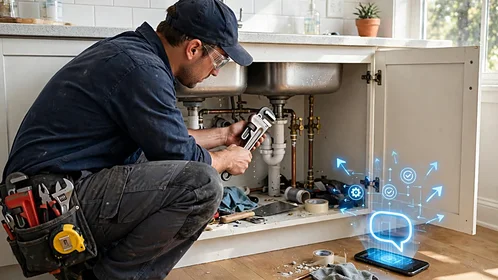
Step 1: What is missed call text back for plumbers?
Missed call text back for plumbers is an automatic text sent when you can’t answer a call. Imagine a Plaza Midwood caller whose toilet won’t stop running. While you’re on a job, the CRM texts: “Sorry we missed you. What’s going on?”
Do this: write the text in your own voice.
Watch out: US business texting numbers must be registered under A2P 10DLC rules (checked 14 November 2026), or texts can be filtered or fail to deliver.
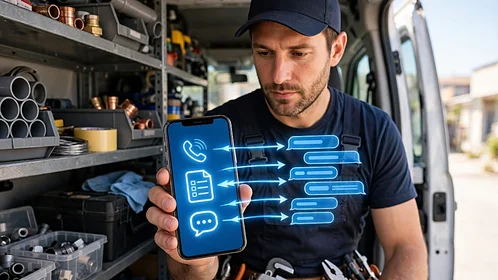
Step 2: What is a shared inbox for a plumbing business?
A shared inbox puts calls, texts, web forms and Facebook messages in one thread per customer. Your office and your tech in the van see the same history.
Do this: connect your phone line, website form, Facebook page and Google Business Profile messages first.
Watch out: give each new message one owner, or everyone assumes someone else replied.

Step 3: What pipeline stages should plumbers use?
A plumbing pipeline works well with 7 stages: New lead, Contacted, Estimate booked, Quote sent, Booked, Job complete and Review asked. Each lead is a card that moves forward as the job does. Our GoHighLevel for Plumbers guide groups these into 5 stages; here they’re split into 7 for daily use.
Do this: move cards from your phone as jobs change.
Watch out: add more stages and your team will likely stop updating them.

Step 4: How should plumbing lead follow up work on open quotes?
Plumbing lead follow up on open quotes is a short text schedule that stops when the customer replies. Imagine a NoDa homeowner who got a water heater quote and went quiet. The CRM texts on day 2 and day 5, a schedule you can change.
Do this: write 2 or 3 short texts. Watch out: make sure the texts stop once the customer books.

Step 5: How do booking and review requests run on their own?
Plumber appointment booking runs on its own when the CRM texts a link showing only your open times. Plumbing review automation texts your Google review link when a card hits “Job complete.” Add one more automation later: a reminder a year after each job, so past customers hear from you before something breaks.
Do this: send the review text the same day.
Watch out: ask every customer, not only happy ones. Google’s review policy (checked 14 November 2026) bans asking only for positive reviews.
What does a CRM for plumbers change in a real week?
A CRM for plumbers changes a normal week by catching the calls you miss and the quotes you forget. Imagine a busy 3-truck plumbing shop in South Charlotte. Here is the same week, before and after the CRM goes in.
| Situation | Before | After |
| Missed call | Caller books elsewhere | Caller gets a text right away |
| Open quote | Forgotten | Texted on day 2 and day 5 |
| Finished job | No review request | Review link sent same day |
| Result | Leads lost quietly | Every lead gets a reply |
Is a plumbing CRM working, and is it right for you?
A plumbing CRM is working when more missed calls get a reply and more quotes turn into booked jobs. Check 4 numbers every week: missed calls answered by text, time to first reply, quotes booked, and new reviews. If nothing moves after 4 weeks, rewrite your texts first.
Skip it if your calendar is full or nobody will move the cards. Red flag: any promise of a set number of jobs.
Frequently asked questions
What is the best CRM for plumbers?
The best CRM for plumbers is one your team will use from a phone, with missed call text back, a shared inbox and follow-up built in. GoHighLevel is one option with all three.
Can my techs use the CRM from their phones?
Yes, if the CRM has a mobile app. GoHighLevel has one, called LeadConnector, for iPhone and Android (checked 14 November 2026), so techs can reply and move job cards from the van.
Do I need a CRM if I already use scheduling software?
You don’t need a separate CRM if your scheduling software already texts back missed calls and follows up on quotes. If it doesn’t, a CRM fills that gap. Scheduling tools such as Jobber or Housecall Pro run dispatch, jobs and invoicing. A CRM runs leads, follow-up and reviews. Many companies run both, connected.
Will a CRM get me more Google reviews?
A CRM sends a review request after every finished job, not only the ones you remember. More requests mean more chances at reviews, but no tool can guarantee a number.
Final Thoughts
Start with missed call text back, then the shared inbox, then your pipeline stages. Add quote follow-up and review requests last. If you want help setting up a CRM for plumbers in Charlotte, book a free consultation with Innov8Eight.